
Introduction
Have you ever watched a video where the text appears on the screen and cannot be turned off? Those subtitles are called open captions. Many people see them daily on social media videos, public displays, online courses, and even movies — but few truly understand what is open captioning is and why it’s becoming so important.
Open captioning is more than just adding words to a screen. It helps people understand content better, supports viewers with hearing difficulties, improves language learning, and increases video engagement. Today, captions are not only for accessibility — they are a smart strategy for creators, marketers, teachers, and businesses.
Think about this: most people scroll through social media with the sound off. Without captions, they skip the video. With captions, they stay and watch. That’s the power of open captions.
This guide is designed especially for beginners. You’ll learn:
- What open captioning means
- How it works
- When to use it
- Helpful tips
- Ready-to-use captions
- FAQs and expert advice
By the end, you’ll clearly understand how open captioning improves accessibility, SEO, and user experience — and how you can use it in your own content.
Let’s get started.
What Is Open Captioning?
Open captioning refers to captions that are permanently visible on a video and cannot be turned off by viewers.
Unlike closed captions (which users can toggle on or off), open captions are “burned” into the video itself.
Simple definition:
👉 Open captions = Always visible text on screen
Example:
If you upload a video to Instagram or TikTok with text already embedded, that is open captioning.
Why Open Captioning Matters
Many creators ignore captions, but this can reduce reach and accessibility.
Here’s why open captioning is important:
Accessibility
Helps people who are deaf or hard of hearing.
Better Engagement
People watch videos longer when captions are present.
Silent Viewing
Most users watch videos without sound.
Language Support
Non-native speakers understand better.
SEO & Reach
Captions improve discoverability and watch time.
Adding captions means more views, more understanding, and more inclusivity.
How to Use Them
Using open captions is simple. You don’t need advanced tools.
Method 1: Video Editing Software
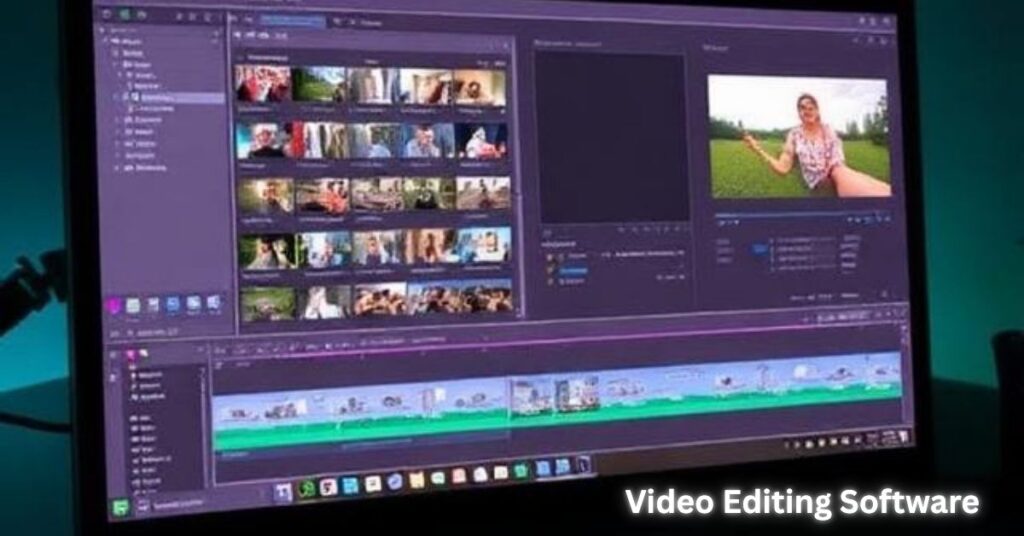
Use:
- CapCut
- Canva
- Premiere Pro
- Final Cut Pro
Steps:
- Upload video
- Add text or subtitles
- Sync with speech
- Export video with captions embedded
Method 2: Auto Caption Tools
Use:
- YouTube auto captions
- CapCut auto subtitles
- VEED.io
- Descript
Steps:
- Generate auto captions
- Edit mistakes
- Export as burned-in video
Method 3: Manual Text
Add key lines manually for:
- Instagram reels
- TikTok videos
- Educational content
Tips for Better Open Captioning
Here are expert tips to make captions more effective:
Keep text short
Don’t overload the screen.
Use simple language
Easy words improve readability.
Use high contrast
White or yellow text with black shadow works best.
Sync correctly
Text should match speech timing.
Avoid covering faces
Place captions at the bottom center.
Highlight keywords
Important words catch attention.
Use large fonts
Small text is hard to read on phones.
Check spelling
Mistakes reduce trust.
Ready-to-Use Captions List
You can use these for social media, videos, or reels:
- Watch till the end
- Don’t skip this
- Must know tip
- Save this video
- Try this today
- Easy step
- Quick hack
- Simple guide
- Pro tip
- Step by step
- Learn fast
- Big mistake
- Stop doing this
- Start today
- Easy solution
- Real results
- No experience needed
- Beginner friendly
- Quick trick
- Smart method
- Here’s how
- Let’s begin
- Follow along
- Watch carefully
- Important note
- Bonus tip
- Hidden secret
- Do this first
- Try now
- Check this out
- Don’t miss
- See the difference
- Before and after
- Final step
- Success tip
- Helpful trick
- Fast method
- Easy fix
- Watch closely
- Quick guide
- Everyday hack
- Smart choice
- Save time
- Save money
- Beginner tip
- Expert advice
- Simple steps
- Must watch
- Top tip
- Common mistake
- Avoid this
- Works every time
- Quick reminder
- Easy learning
- Helpful guide
- Stay tuned
- Keep watching
- Learn more
- Free tip
- Daily hack
- Instant result
- Watch again
- Share this
- Comment below
- Like and follow
- Thanks for watching
- See you next time
Open Captioning vs Closed Captioning
| Feature | Open | Closed |
|---|---|---|
| Turn off option | No | Yes |
| Always visible | Yes | Optional |
| Social media use | Very common | Less common |
| Accessibility | High | High |
FAQs
What is open captioning in simple words?
It means captions that are always visible and cannot be turned off.
Are open captions better than closed captions?
Both are useful. Open captions are better for social media and public displays.
Can I add open captions for free?
Yes. Tools like CapCut, Canva, and YouTube offer free options.
Do captions improve video views?
Yes. Videos with captions often get higher engagement and watch time.
Are open captions good for SEO?
Yes. They improve retention, which helps rankings.
Who should use open captioning?
Creators, teachers, marketers, businesses, and anyone sharing videos online.
Conclusion (Final Thoughts)
Now you fully understand what is open captioning is and why it’s essential today.
Captions are not just text — they are a bridge between your content and your audience. They help people understand, connect, and stay engaged. Whether you create YouTube videos, social media reels, tutorials, or business content, adding open captions can significantly improve reach and accessibility.
The best part? It’s easy and free to start.
So next time you upload a video, remember:
Add captions
Keep them clear
Help everyone understand
Small changes create big results.
Start using open captioning today and make your content more powerful, inclusive, and professional.